How to Rank for Near Me Searches Without Stuffing the Phrase
Galyna ArikhJune 9, 202613 min read
Near me is a proximity signal, not a keyword to stuff. Strengthen your profile, category, reviews, and AI signals, and use the free checklist to fix what matters first.
Try IvaBot for your site
Find what's hurting your SEO and what to fix first. Free to start, no credit card.
Learning how to rank for near me searches starts with one correction that saves months of wasted effort: near me is not a keyword you add to your pages. It is a signal of location and intent that Google reads from the searcher's device, then answers with the closest relevant businesses it trusts. So a near me SEO strategy is not about writing the phrase everywhere. It is about being the business Google can place, verify, and recommend when someone nearby is ready to act. This guide shows how to appear in near me searches, how to rank higher on Google Maps, and the free steps that get a small business shown, without spending on ads or an agency.
Near me is a proximity and intent signal, not a keyword, so Google answers it using your relevance, your distance from the searcher, and your prominence, not the words on your page.
The fastest wins are free: claim and verify your Google Business Profile, set the correct primary category, keep your name, address, and phone identical everywhere, and collect reviews steadily.
An AI layer now sits over the local results and names only a few businesses, so the same signals decide whether ChatGPT, Gemini, or Perplexity mentions you. Fix the top issues in order and keep reviews flowing.
'Near me is not a keyword you add. It is a signal you earn.'
What a near me search actually is
A near me search expresses intent to act close by. The searcher could type 'plumber near me,' 'plumber nearby,' 'best coffee near me,' or just 'coffee shop,' and Google treats them the same way: it reads the device location and returns nearby relevant options, usually in the local pack, the block of three businesses with a map. The phrase 'near me' tells Google to use proximity, not to look for those words on your website, which is why near me keywords do not need to appear in your page copy at all.
This is why stuffing 'near me' into page titles, headings, and URLs does not work. The page does not need to contain the phrase at all to rank for it. It ranks because the business is close, relevant, and trusted. Some practitioners report that a naturally placed 'near you' or 'in [city]' can help readability and intent, which is fine. The point is that the phrase is optional and the real work lies elsewhere. For the broader picture beyond near me, see the guide to local SEO for small business.
Near me is a proximity signal. Stuffing the phrase does nothing; Google decides on location and trust.
How Google decides who shows up
Google ranks local businesses on three factors. Relevance is how well your business matches the search, which your category and your profile detail control. Distance is how close you are to the searcher, which you cannot change but can work around with a clearly defined service area. Prominence is how well known and trusted your business is, built from reviews, links, mentions, and a complete profile.
Distance earns you the right to appear, but it does not decide who wins. When several businesses sit within a reasonable radius, the stronger profile, the faster flow of reviews, and the clearer business information move ahead. That is the part you control, and it is the real answer to how to rank for near me searches: become the closest trusted option among the businesses near me that Google returns. It is where the checklist below focuses.
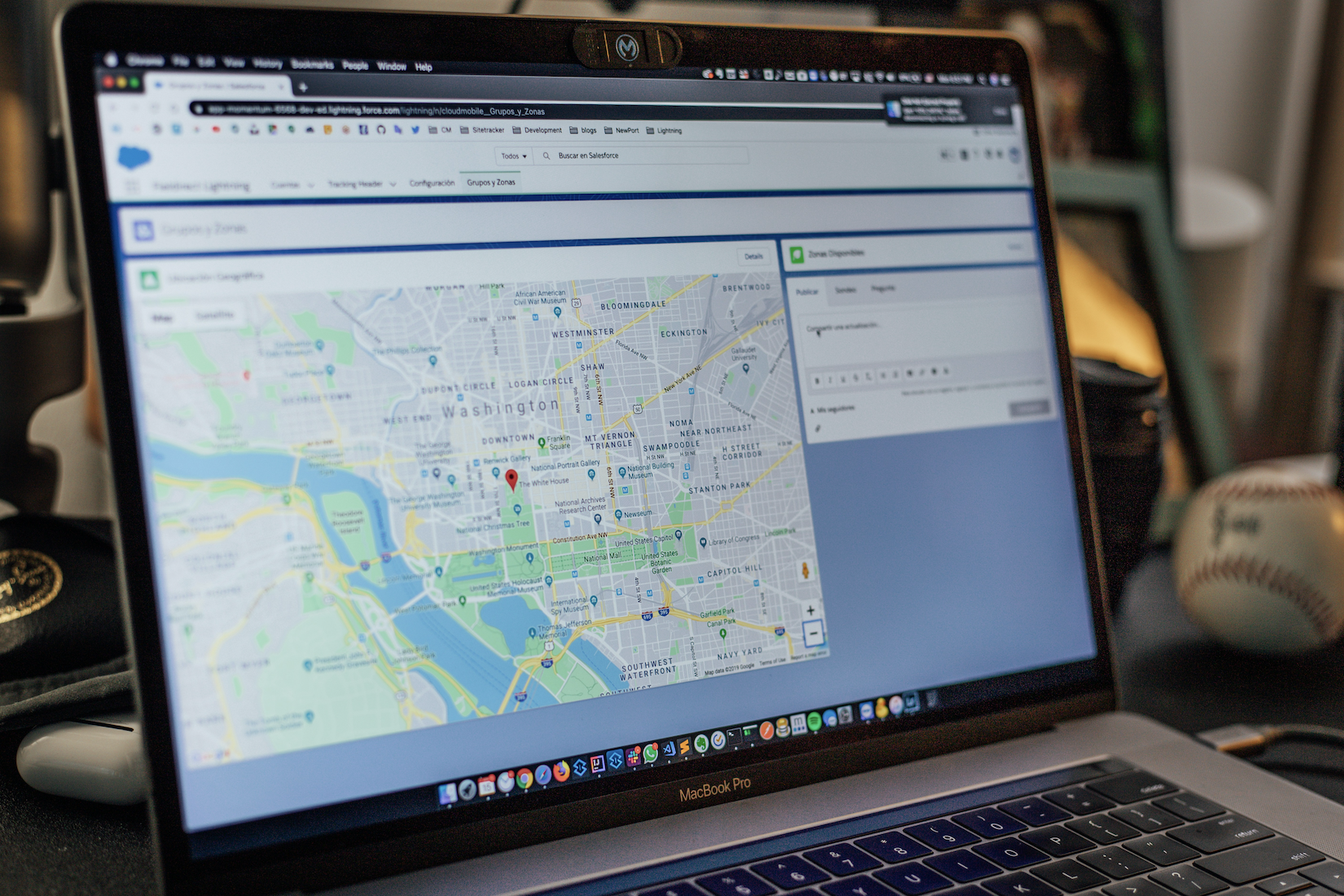
A near me search returns the local pack: three nearby businesses with a map, chosen by relevance, distance, and prominence.
The core idea
You cannot move your location closer to every searcher. You can make your business the most relevant and most trusted option inside the radius you already cover. That is what wins near me searches.
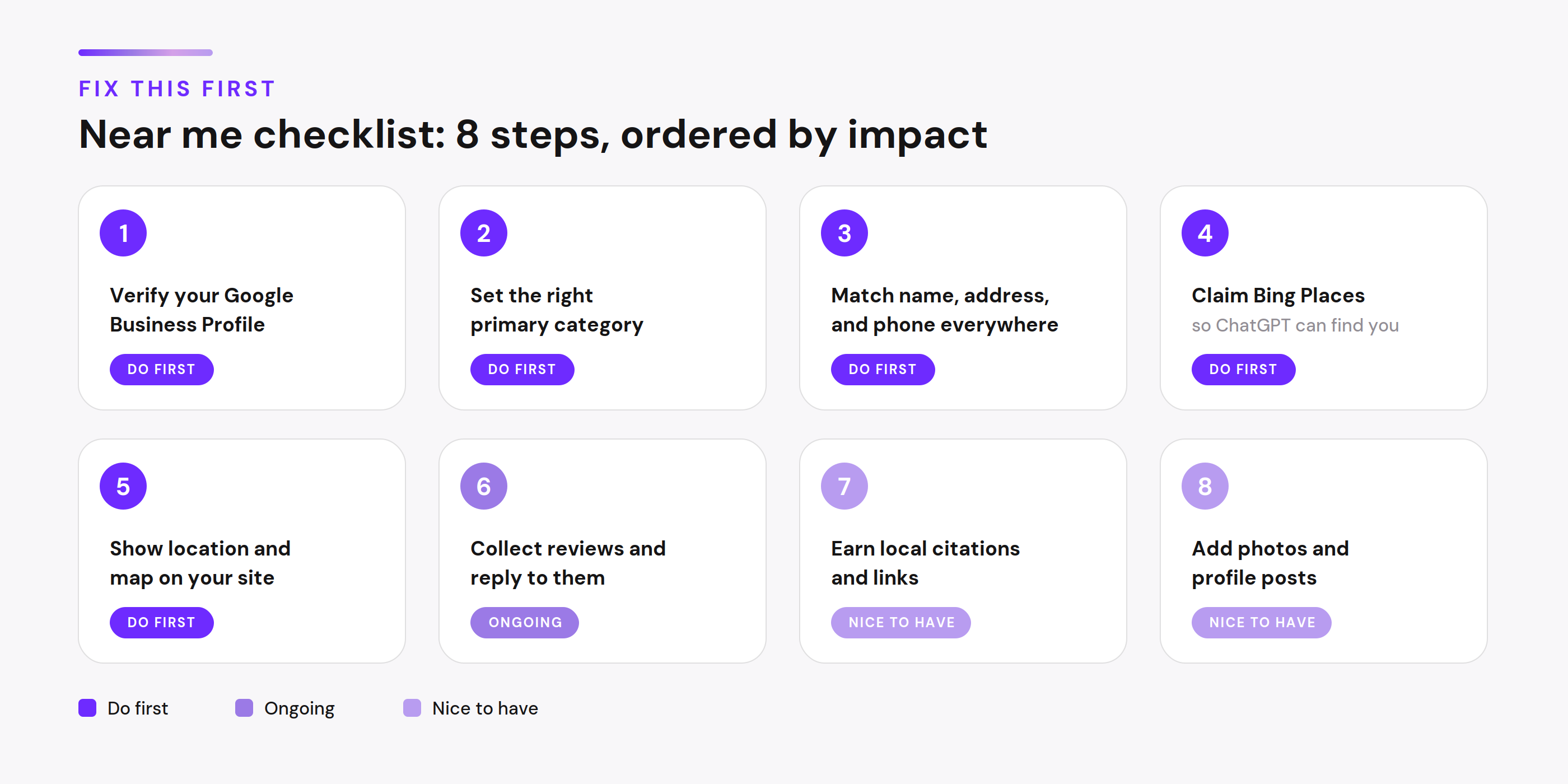
The fix-this-first checklist
Ordered by impact and effort. Each item is tagged: do first means it is foundational, nice to have adds polish once the basics are solid, and ongoing means it pays off only with repetition. The table below shows the priority, how often each task needs attention, and roughly how long it takes to set up.
The eight steps at a glance, tagged by priority.
Step
Priority
How often
Time to set up
Verify Google Business Profile
Do first
Once
Minutes to 5 days
Set the right primary category
Do first
Once, review yearly
5 minutes
Match name, address, phone everywhere
Do first
Check quarterly
30 minutes
Claim Bing Places
Do first
Once
15 minutes
Show location and map on your site
Do first
Once
30 minutes
Collect reviews and reply
Ongoing
Weekly
A few minutes each
Earn local citations and links
Nice to have
Monthly
1 to 2 hours
Add photos and profile posts
Nice to have
Monthly
A few minutes
How long it takes
Verification by phone or email is usually instant or done in a few minutes. Video verification, the most common method in 2026, takes up to five business days to review, and a mailed postcard takes five to fourteen days, per Google's guidance. After verification a profile usually appears in Search and Maps within one to fourteen days. Reviews and ranking then improve over the following weeks, not overnight.
01
Claim and verify your Google Business Profile (do first)
Your Google Business Profile (GBP, formerly Google My Business) is the single strongest near me signal. Claim it, complete every field, and finish verification so you can edit and appear in the map. Without a verified profile you are invisible in the local pack regardless of how good your website is. This step is also what most people mean when they ask how to get my business on top of Google search for free, because the profile costs nothing.
02
Set the correct primary category (do first)
Your primary category is one of the strongest relevance signals for near me results. Choose the most specific category that describes your main service, not a broad one. A florist set to 'Florist' will outrank a florist set to 'Gift Shop' for flower searches nearby. Add secondary categories for your other services.
03
Make your name, address, and phone identical everywhere (do first)
This is NAP consistency. Your business name, address, and phone number must match exactly across your website, your profile, and every directory. Conflicting details confuse Google about which version to trust and weaken your prominence. Pick one format and use it everywhere, including punctuation and suite numbers.
04
Add your business to Bing Places (do first)
Bing Places is free and quick, and it matters more than its search share suggests, because ChatGPT runs on Bing as its search backend. A business Bing cannot see is invisible to ChatGPT no matter how well it ranks on Google. Claim the listing and keep its details identical to your Google profile.
05
State your location clearly on your site and embed a map (do first)
Put your city and service area in plain text on your contact page and footer, and embed a Google map of your location. This confirms to Google and to AI engines where you operate, and it gives visitors the proximity cue they want, without stuffing the phrase 'near me' anywhere.
06
Collect reviews steadily and reply to them (ongoing)
A regular flow of fresh reviews, with your replies, lifts both your local ranking and your standing with AI engines that read reviews to judge a business. Ask every satisfied customer at the moment the work is done, and reply to each review within a day or two. Steady beats a one-time burst. For the full method, see how to get more Google reviews without spamming or buying them.
07
Earn a few local citations and links (nice to have)
List your business in a handful of trusted local directories and your chamber of commerce, and seek mentions from local news or community sites. These build prominence over time. Quality and consistency matter more than volume here, so a few accurate listings beat dozens of sloppy ones.
08
Add photos and posts to your profile (nice to have, ongoing)
Fresh photos and regular profile posts keep your listing active, and Google favors active profiles. Add a few real photos of your work and location, and post an update when you have something genuine to say. Treat this as upkeep once the foundations are in place.
Free download
Keep this handy. The same checklist is available as a free PDF you can print or share.
Using 'near me' on your page the right way
The goal on the page is to make your location obvious to a reader and to a machine. You do that by stating where you are and whom you serve, not by repeating 'near me.' Here is the contrast.
Clumsy, and the pattern to avoid: a heading like 'Plumber Near Me, Best Plumber Near Me, Plumber Near Me Services,' with body copy that reads 'our plumber near me service is the best plumber near me in your area.' It reads badly to people and gains nothing with Google.
Natural, and the version to use: state the location plainly and let an embedded map do the rest. Under the map, a line such as 'See [Business Name] on the map, a few minutes from [neighborhood],' paired with 'serving [city] and the surrounding areas.' The location is clear, the phrasing is true, and nothing is stuffed. A naturally placed 'near you' in that sentence is fine because it reads well and means something.
A tool like GMB Everywhere reads a page and flags the local signals that matter, here on a dentist's site.
How AI changes near me searches
When someone asks ChatGPT for the best service near them, it returns two or three businesses, not a page of links. More people now look for businesses near me through AI assistants, so to be recommended by ChatGPT, and to get ChatGPT to cite your business when it answers, the work is the same as winning the pack. According to SOCi's 2026 Local Visibility Index, only about 1.2 percent of local businesses are ever recommended this way, and only 45 percent of the businesses that win the Google map pack also appear in AI answers. The work that earns a mention is the work that earns the pack, applied so a machine can read it:
Asked for a coffee shop nearby, ChatGPT names a short list rather than a page of links.
Complete and verify your Google Business Profile, because ChatGPT and Gemini pull local recommendations from Google's data.
Add your business to Bing Places, because ChatGPT runs on Bing and skips what Bing cannot see.
Keep your name, address, and phone identical across your site, profile, and directories, because AI merges data from many sources and drops a business when they conflict.
Keep fresh reviews coming, because reviews are a primary source AI reads to judge a local business.
Write key pages as clear questions with direct answers, because AI cites short extractable answers far more readily than long paragraphs.
Earn mentions on trusted local sites, because AI looks for agreement across independent sources before it recommends.
The pressure to get this right is rising. Industry data from Bain puts the share of Google searches that end without a click near 60 percent, and Similarweb data puts the zero-click share of near me queries as high as 78 percent. The local pack still drives real clicks for transactional searches, so this is a reason to strengthen your signals, not to stop. For the step-by-step version focused on one engine, see how to rank in ChatGPT search results.
Perplexity answers the same question with its own short list, and the names differ from ChatGPT's, so being legible to each engine matters.
New in 2026
Google is rolling out a native link between Google Business Profile and Google Analytics, so calls, direction requests, messages, and bookings now appear in GA4 next to your website data, with no UTM tags. For a near me business that means you can finally measure the actions customers take before they reach your site. The data covers the last six months and aggregates across locations, so a single-location business gets the most from it.
Common mistakes that keep you hidden
Chasing near me keywords by repeating the phrase across your titles and URLs spends effort where Google does not look; put that energy into your profile and reviews instead. If you are wondering how to appear in near me searches, the fix is stronger signals off the page, not more of the phrase on it. Leaving the Google Business Profile half complete or unverified is the most common reason a business never appears, so finish every field. Choosing a broad primary category when a specific one exists hands relevant searches to competitors, so pick the most precise category. Letting your name, address, or phone drift out of sync across listings weakens trust, so standardize one format everywhere. Treating Google as the only surface leaves you out of AI answers, so claim Bing Places too. Each fix is small, and together they decide whether you show up.
Tools for near me visibility
Free tools
A near me SEO strategy, and basic Google Maps SEO, can start at zero cost. Google Business Profile, still widely searched under its old name Google My Business, is the foundation and is free for life. Bing Places is also free and covers the ChatGPT side. GMB Everywhere is a free Chrome extension that shows any competitor's profile categories, review pace, and posting activity in the search results, and its teleport feature checks how a business ranks from different points in its area, with a monthly limit on the free tier. Local Falcon offers grid-based rank tracking on a credit model with a free trial, useful for seeing where your ranking drops off by neighborhood.
GMB Everywhere shows each competitor's primary category right in the results, the relevance signal that often decides the pack.
Paid tools (optional)
BrightLocal is an all-in-one local SEO platform starting around 39 dollars per month with a free trial, and citation building is billed separately at roughly 2 to 3 dollars per submission. Whitespark sells tools separately, with its local rank tracker from about 14 dollars per month, and is known for accurate tracking and citation work. Both offer trials, so you can test before committing a card to a subscription.
IvaBot
IvaBot checks the parts of near me visibility that live on your own site. Content Coverage and AI Readiness test whether your page states location and service clearly enough for Google and AI engines to read, and Core Audit checks the mobile speed and technical health that local visitors and the local pack both depend on. It runs pay as you go with no subscription, and a free run lets you see your gaps before you spend anything.
Content Coverage and AI Readiness check whether a page states the local and trust signals that Google and AI engines read.
Tool
Type
Price
Best for
Google Business Profile
Free
Free for life
The foundation of all local visibility
Bing Places
Free
Free for life
Being found by ChatGPT, which runs on Bing
GMB Everywhere
Free and paid
Free tier, monthly limit
Seeing competitor categories and review pace
Local Falcon
Paid, free trial
Credit based
Grid rank tracking by neighborhood
BrightLocal
Paid, free trial
From 39 dollars per month
All-in-one local SEO
Whitespark
Paid
Rank tracker from 14 dollars per month
Citations and accurate tracking
IvaBot
Pay as you go
Per audit, no subscription
Checking your own page for location, trust, and AI signals
How much this costs
A near me SEO strategy does not have to cost money, and the honest answer to how to rank for near me searches is that the highest-impact steps cost nothing but time: claiming and completing your profile, choosing the right category, fixing your NAP, claiming Bing Places, and asking for reviews. Tools become useful once the basics are done, and they range from free extensions to roughly 14 to 59 dollars per month for tracking and citation platforms. IvaBot's checks run pay as you go, so you pay per audit rather than a monthly fee. No tool guarantees rankings; they provide data and save time, while results depend on your category, your competition, and how consistently you keep the ongoing items running. The payoff is real, since top-three local results draw well over twice the clicks and customer actions of positions four to ten, according to industry data.
Sources and methodology
Figures in this guide are drawn from published 2026 research and linked context, not from internal estimates. The share of local businesses recommended by AI and the overlap with the map pack come from SOCi's 2026 Local Visibility Index. Zero-click figures come from Bain and Similarweb. The role of Bing as ChatGPT's search backend is documented across independent local SEO write-ups. The three ranking factors, relevance, distance, and prominence, follow Google's own description of how local results work. Where practitioners disagree, for example on whether a naturally placed 'near you' helps, the guide says so plainly rather than picking a side.
FAQ
How do I rank for near me searches?
Strengthen the signals Google uses for local results rather than adding the phrase to your pages. Claim and verify your Google Business Profile, set the most specific primary category, keep your name, address, and phone identical everywhere, collect reviews steadily, and state your location clearly on your site. Proximity to the searcher and the trust your business has built decide who appears, not whether your titles contain 'near me.'
How long does it take to rank for near me searches?
It depends on where you start. Verifying a Google Business Profile is instant by phone or email, up to five business days for video verification, and five to fourteen days if a postcard is mailed, per Google. After verification the profile usually appears in Search and Maps within one to fourteen days. Ranking and the flow of businesses near me that Google shows then improve over the following weeks as reviews build and your details stay consistent, so plan in weeks, not days.
Do I need to put 'near me' on my website?
No. Google reads 'near me' as a proximity signal from the searcher's device, so your page does not need to contain the phrase to rank for it. State your city and service area in plain language instead. A naturally placed 'near you' is fine for readability, but repeating the phrase in titles and URLs does not help and reads poorly.
How do I get my business on top of Google search for free?
The free path is your Google Business Profile, the listing many people still search for as Google My Business. Claim it, complete every field, verify it, choose the right category, and gather reviews. For local and near me searches this is the single highest-impact action, and it costs nothing. Add Bing Places, also free, so AI tools that run on Bing can find you too. That, in short, is how to get my business on top of Google search for free.
How do I rank higher on Google Maps?
If you are figuring out how to rank higher on Google Maps, start with the factors it shares with the local pack: relevance, distance, and prominence. Set a precise primary category, complete your profile, keep your business details consistent, and build reviews. Checking your rank from several points across your service area, with a grid tool, shows where you are strong and where you drop off.
Can a service-area business rank for near me searches?
Yes. A business that travels to customers can hide its street address and set a service area in its Google Business Profile instead. Define the cities and zones you cover accurately, keep the rest of the profile complete, and the same relevance and prominence signals apply. Proximity is then judged against your declared service area.
How do I get my business recommended by ChatGPT for near me searches?
Make your business legible to the data ChatGPT relies on. Complete your Google Business Profile, claim Bing Places since ChatGPT runs on Bing, keep your details consistent across the web, collect reviews, and write your pages as clear questions with direct answers. Only a small share of local businesses are recommended by AI, so consistent, accurate signals are what set you apart.
Why am I not showing up in near me searches?
The most common reasons are an unverified or incomplete Google Business Profile, a primary category that is too broad, and inconsistent business details across listings. Distance also matters, so if a searcher is far outside your area you may not appear for them. Fix the profile, category, and consistency first, then build reviews, and recheck from points across your service area.
What's Next
Do the first four checklist items this week, because they cost nothing and move you ahead of most local competitors: verify your Google Business Profile, set the most specific primary category, standardize your name, address, and phone everywhere, and claim Bing Places. The May 2026 core update rewarded exactly this, tighter proximity, fresher signals, and clearer local information, and the AI layer that now sits over the pack reads the same data. So this is action on what changed, not theory.
After that it is consistency: keep reviews and replies flowing, refresh your profile, and check your rank from a few points across your area. The deeper shift in 2026 is that Google increasingly favors pages that do not just describe the answer but hand the reader a tool to act on it, so a page that lets someone check and fix their own visibility now does better than one that only explains the theory. To turn this guide into a concrete fix list for your own page, run it through Content Coverage and AI Readiness for the location and trust signals, and Core Audit for mobile speed and technical health. Related guides on IvaBot:
 13 min read